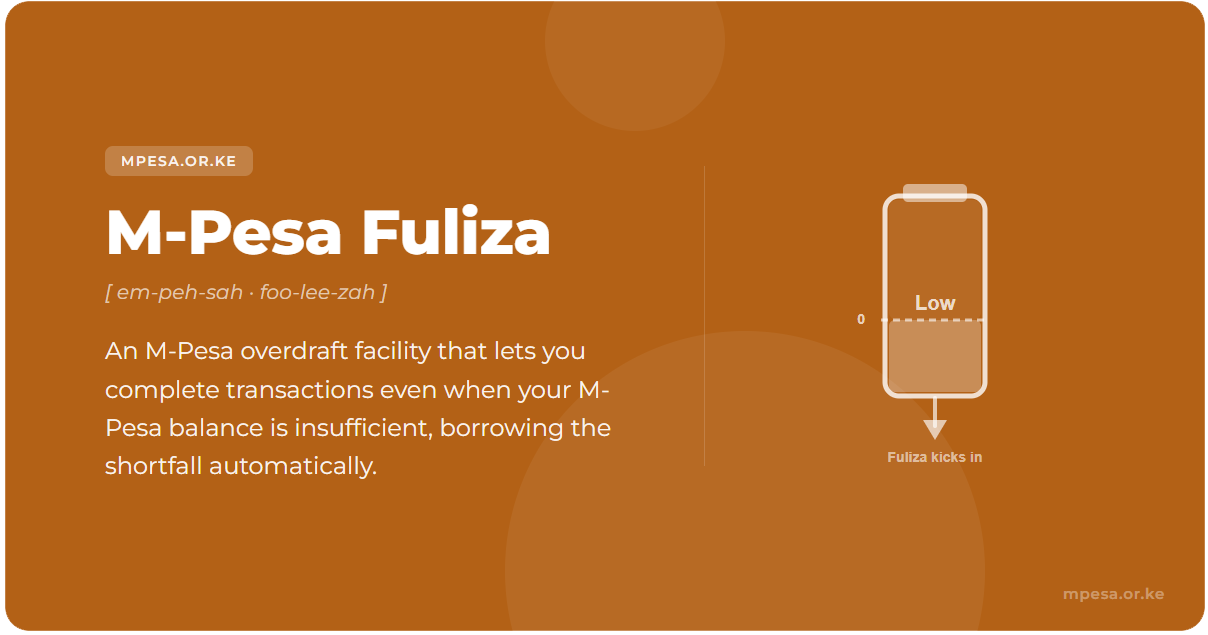
M-Pesa Fuliza is essentially an overdraft facility integrated directly into the M-PESA platform. The service enables customers to "overdraw" their M-PESA accounts to complete transactions when their account balance is insufficient to cover the full transaction amount. The word "Fuliza" is derived from Swahili, meaning "to flow through," which perfectly captures the seamless nature of this service.
What Is M-Pesa Fuliza?
M-Pesa Fuliza is an overdraft facility integrated directly into the M-PESA mobile money platform. It is offered through a partnership between Safaricom, NCBA Bank, and KCB Bank. The service enables M-PESA customers to complete transactions even when their account balance is insufficient to cover the full amount.
The word "Fuliza" comes from Swahili, meaning "to continue" or "to flow through" — perfectly describing how the service lets transactions proceed seamlessly rather than failing due to insufficient funds.
Fuliza was launched on 7 January 2019 and has since grown to serve over 9 million active users in Kenya, making it one of the country's most widely used credit products.
Before Fuliza existed, running short on M-PESA balance mid-transaction meant the payment simply failed. You received an error, the merchant waited, and you had to find another way to pay. Fuliza eliminated that friction entirely. There is no application form, no waiting period, and no phone call to a loan officer. If your Fuliza limit covers the shortfall, the transaction goes through automatically.
Key Distinction: Fuliza is a credit product, not just a mobile money feature. Safaricom provides the M-PESA interface, while NCBA Bank and KCB Bank supply the underlying credit facility. This is why Fuliza usage can affect your credit record at the Credit Reference Bureau (CRB).
How Fuliza Works
Fuliza does not require manual activation for each transaction. Once you have opted in, the service operates automatically in the background every time you initiate an M-PESA transaction. Here is the step-by-step process:
- You initiate a transaction — sending money, paying a Paybill, Lipa Na M-PESA (Buy Goods), or any other M-PESA payment.
- M-PESA checks your balance — the system compares your wallet balance against the total amount required, including applicable transaction fees.
- If your balance is sufficient, the transaction proceeds normally using your own funds. Fuliza does not activate.
- If your balance falls short, M-PESA checks whether your approved Fuliza limit can cover the difference. If yes, the transaction completes automatically using borrowed funds for the shortfall.
- You receive a confirmation SMS detailing the amount borrowed, the one-time access fee already deducted, and the daily maintenance fee that will apply until repayment.
Important: Fuliza covers only the shortfall, not the entire transaction amount. For example, if you have KES 800 in your wallet and attempt to send KES 1,200, Fuliza borrows only KES 400 (plus any applicable transaction fee). This keeps borrowed amounts — and therefore fees — as low as possible.
Supported Transactions
Fuliza can be used to complete virtually all M-PESA transactions:
- Send Money — Transfer funds to registered and unregistered M-PESA users when your balance falls short.
- Lipa Na M-PESA (Buy Goods) — Pay merchants via Till number for purchases at shops, supermarkets, and other outlets.
- Paybill Payments — Complete utility bills, rent, school fees, and other Paybill transactions without interruption.
- Agent Withdrawals — Withdraw cash at M-PESA agent outlets even when your wallet balance is insufficient.
How to Activate Fuliza
Before you can use Fuliza, you must opt in to the service. Activation is free and can be done through several methods. Once activated, Fuliza works automatically for all qualifying transactions.
Requirements
To be eligible for Fuliza, you must meet the following criteria:
- You must be a registered M-PESA customer with an active Safaricom line.
- Registration must have been done using a Kenyan National ID, Kenyan Passport, or Military ID.
- Accounts registered with a foreign passport cannot activate Fuliza.
- You need to have been active on the Safaricom network for at least six months before a credit limit can be assigned.
Method 1: USSD Code *234#
- Dial
*234#on your Safaricom line. - Select "Fuliza M-PESA" from the menu options.
- Choose "Opt In" and follow the on-screen prompts.
- Accept the terms and conditions to complete activation.
- Receive a confirmation SMS with your allocated Fuliza limit.
Method 2: USSD Code *334#
- Dial
*334#on your Safaricom line. - Select "Loans and Savings" from the main M-PESA menu.
- Choose "Fuliza M-PESA" from the available options.
- Follow the prompts to opt in and confirm activation.
Method 3: M-PESA Super App
- Download the M-PESA Super App from Google Play Store or Apple App Store.
- Sign in with your M-PESA credentials.
- Navigate to the Fuliza section within the app.
- Complete the opt-in process and confirm activation.
Method 4: MySafaricom App
- Open the MySafaricom app on your smartphone.
- Access M-PESA services from the main menu.
- Select "Fuliza M-PESA" and follow the guided opt-in process.
Note: Not all customers will receive a Fuliza limit immediately upon activation. Your initial limit is calculated algorithmically based on your M-PESA usage history. If you are assigned KES 0 initially, continue using M-PESA regularly and the limit will be reviewed over time.
Fuliza Charges & Fee Structure
Fuliza has two separate charge components: a one-time access fee charged the instant you borrow, and a daily maintenance fee that accrues every midnight until you repay in full. Understanding both is critical because the daily fee is where costs add up quickly.
4.1 One-Time Access Fee
The access fee is 1% of the borrowed amount, charged immediately when Fuliza activates. An additional 20% Excise Duty (imposed by the Kenya Revenue Authority) is applied on this fee. The access fee is deducted from the borrowed funds themselves.
| Amount Borrowed (KES) | Access Fee (1%) | With 20% Excise Duty |
|---|---|---|
| 100 | 1.00 | 1.20 |
| 500 | 5.00 | 6.00 |
| 1,000 | 10.00 | 12.00 |
| 2,500 | 25.00 | 30.00 |
| 5,000 | 50.00 | 60.00 |
| 10,000 | 100.00 | 120.00 |
| 50,000 | 500.00 | 600.00 |
| 70,000 | 700.00 | 840.00 |
4.2 Daily Maintenance Fee
The daily maintenance fee is applied at midnight every day — including weekends and public holidays — for as long as any outstanding Fuliza balance remains. The fee is based on your current outstanding balance band, not the original amount borrowed. This means partial repayments directly reduce your daily charges by moving you into a lower band.
| Outstanding Balance (KES) | Daily Fee (KES) | Monthly Cost (30 days) |
|---|---|---|
| 1 – 100 | 0.00 | 0.00 |
| 101 – 500 | 3.00 | 90.00 |
| 501 – 1,000 | 6.00 | 180.00 |
| 1,001 – 2,500 | 21.60 | 648.00 |
| 2,501 – 70,000 | 24.00 | 720.00 |
Grace Period for Small Loans: If you borrow KES 1,000 or less, the daily maintenance fee is waived for the first 3 days. From day 4, the standard daily fees apply. Loans above KES 1,000 start accruing the daily fee from the very first midnight.
4.3 Practical Example: Borrowing KES 2,500 for 15 Days
- Access fee: 1% × 2,500 = KES 25 (+ KES 5 excise duty = KES 30)
- Daily maintenance: KES 21.60/day × 15 days = KES 324
- Total cost of borrowing: KES 30 + KES 324 = KES 354
That is 14.2% of the borrowed amount in just two weeks. This illustrates why prompt repayment is essential.
4.4 Another Example: Borrowing KES 5,000 for 30 Days
- Access fee: 1% × 5,000 = KES 50 (+ KES 10 excise duty = KES 60)
- Daily maintenance: KES 24.00/day × 30 days = KES 720
- Total cost of borrowing: KES 60 + KES 720 = KES 780
That is 15.6% of the borrowed amount — more than KES 1 in every KES 6 borrowed goes to fees alone.
Repayment
Fuliza repayment is automatic by design. When any funds enter your M-PESA wallet — whether from receiving money, a salary disbursement, a Paybill refund, or a cash deposit at an agent — the system first applies the incoming funds to your outstanding Fuliza balance. Only the remaining amount (if any) becomes available in your usable wallet balance.
This auto-deduction mechanism means you cannot receive money into M-PESA while holding a Fuliza balance without that balance being reduced first. The system prioritises debt clearance over wallet availability.
Manual Repayment
You can also repay Fuliza manually at any time:
- Dial
*334#on your Safaricom line. - Select "Fuliza" from the menu.
- Choose "Repay Fuliza" and enter the amount you wish to pay.
- Confirm the repayment to immediately reduce your outstanding balance.
Alternatively, you can repay through the M-PESA app under the Fuliza section. Partial repayments are accepted and applied immediately, which is important because reducing your balance moves you into a lower daily fee band.
Same-Day Repayment Strategy
The cheapest way to use Fuliza is to repay on the same day you borrow. If you settle the balance before midnight, you only pay the one-time access fee. No daily maintenance fee is charged. For example, if you Fuliza KES 1,000 in the morning and deposit money into your M-PESA wallet that afternoon, your total cost is just KES 12 (the access fee plus excise duty).
Repayment Deadline
You have 30 days to repay your outstanding Fuliza balance. If you fail to clear the full balance within 30 days, your Fuliza access is suspended until the debt is settled. Daily maintenance fees continue accruing during the suspension period, and extended default leads to CRB listing.
Fuliza Limits & How to Increase Them
Fuliza limits are individually assigned and reviewed algorithmically. The maximum possible limit is KES 70,000, but most users start with a much lower figure — sometimes as low as KES 100 — that grows over time with responsible usage and repayment behaviour.
What Determines Your Limit
Safaricom has confirmed that Fuliza limits are based on a combination of factors, not just M-PESA activity alone:
- M-PESA Usage: Transaction frequency, volumes, deposits, withdrawals, and peer-to-peer transfers all contribute to your profile.
- Repayment History: Timely repayment of Fuliza, M-Shwari, and KCB M-PESA loans signals creditworthiness.
- Safaricom Services: Voice calls, SMS usage, data consumption, and airtime top-up frequency are all factored in.
- CRB Score: Your credit score at the Credit Reference Bureau directly influences your assigned limit.
- M-Shwari Savings: Maintaining savings on M-Shwari contributes positively to your credit assessment.
How to Grow Your Limit
There is no manual request or shortcut to force a specific limit increase. The process is gradual and algorithmic. However, consistent behaviour in these areas has been shown to help:
- Transact regularly on M-PESA — frequent sends, payments, and deposits demonstrate active usage.
- Repay Fuliza promptly — clearing balances quickly, ideally on the same day, builds a strong repayment track record.
- Use other Safaricom services — make calls, use data, buy airtime, and send SMS regularly across your line.
- Save on M-Shwari — maintaining savings contributes positively to your credit assessment.
- Avoid CRB blacklisting — ensure all your credit obligations across different platforms are up to date.
Limits are reviewed periodically — approximately every 3 months — and can be adjusted upward or downward depending on your recent behaviour.
Checking Your Fuliza Limit & Balance
Dial *234# and select Fuliza M-PESA to view your current limit, outstanding balance, and access a mini-statement. You can also check via the M-PESA app or MySafaricom app.
What Happens If You Don't Repay
Failing to repay Fuliza triggers a cascade of consequences that become increasingly serious over time:
Stage 1: Fuliza Suspension
If your outstanding balance remains unpaid and you exhaust your limit, Fuliza access is suspended. You can still use M-PESA normally for all other transactions, but Fuliza will not activate to cover shortfalls until the existing balance is fully cleared.
Stage 2: Continued Fee Accrual
Daily maintenance fees do not pause when your access is suspended. The debt continues growing at the applicable daily rate for every day the balance remains unpaid, even though you cannot borrow more.
Stage 3: CRB Listing
Extended non-payment results in a negative listing at the Credit Reference Bureau (CRB). This affects your ability to access credit from banks, SACCOs, mortgage lenders, and other financial institutions across Kenya. A CRB listing is not automatic on the first missed day — it follows sustained non-payment — but it is a real and consequential outcome that has affected millions of Kenyans.
Clearing a CRB Listing
If you have a historic Fuliza debt that resulted in a negative CRB listing:
- Repay the outstanding balance in full via
*334#. - Request delisting through the Safaricom app or by contacting Safaricom customer support.
- Your credit record is only restored once the delisting request is processed and confirmed.
Kenya has previously conducted credit amnesty programmes to help defaulters regularise their status after repayment.
Other Reasons Fuliza May Be Blocked
Beyond late repayment, Fuliza access can also be suspended if:
- You are listed by the CRB due to other debts.
- Safaricom detects suspicious or fraudulent activity on your line.
- Your SIM is reported lost.
- Your transactions breach M-PESA regulations.
Fuliza Ya Biashara (Business Overdraft)
Fuliza Ya Biashara is a separate overdraft product designed for registered Lipa Na M-PESA merchants — businesses with an active Till number. It mirrors the consumer Fuliza in structure but is calibrated for business transaction volumes and cash flow patterns.
| Feature | Fuliza (Personal) | Fuliza Ya Biashara |
|---|---|---|
| Access Fee | 1% (+ 20% excise duty) | 2% (inclusive of excise duty) |
| Grace Period | 3 days for loans ≤ KES 1,000 | 24-hour free period before daily fees begin |
| Maximum Limit | KES 70,000 | Up to KES 400,000 |
| Activation | *234# → Fuliza M-PESA |
*234# → Fuliza Ya Biashara |
| Limit Basis | Personal M-PESA usage | Merchant Till transaction history & float volumes |
The 24-hour grace period makes Fuliza Ya Biashara particularly useful for businesses that experience morning cash flow gaps but receive customer payments throughout the day. If a merchant clears the overdraft within 24 hours, they pay only the 2% access fee with no daily maintenance charges.
Fuliza vs M-Shwari vs KCB M-PESA
All three products are accessible through M-PESA, but they serve fundamentally different purposes and carry different cost structures.
| Feature | Fuliza | M-Shwari | KCB M-PESA |
|---|---|---|---|
| Type | Overdraft | Savings + Loans | Savings + Loans |
| Partner Bank | NCBA + KCB | NCBA Bank | KCB Bank |
| How It Works | Automatic overdraft on M-PESA transactions | Apply for a loan, funds deposited to M-Shwari | Apply for a loan, funds deposited to KCB M-PESA |
| Fee Structure | 1% access fee + daily maintenance fees | Fixed facilitation fee (typically 7.5% of loan) | Fixed facilitation fee (typically 7.35% of loan) |
| Repayment Period | 30 days (auto-deducted) | 30 days | 30 days to 6 months |
| Best For | Short-term, same-day shortfalls | Planned borrowing with known repayment date | Larger planned expenses with longer repayment |
Rule of Thumb: Use Fuliza only for short-term, same-day shortfalls you can repay immediately. For any borrowing you expect to carry for more than a few days, M-Shwari or KCB M-PESA loans will almost always be cheaper due to their fixed fee structure versus Fuliza's compounding daily charges.
Smart Tips for Using Fuliza Wisely
Fuliza is a powerful convenience tool, but it can become expensive very quickly if not managed carefully. Here are practical strategies to keep costs under control:
- Repay on the Same Day: The single most effective way to minimise costs. If you settle before midnight, you only pay the 1% access fee — no daily maintenance charges at all.
- Make Partial Payments: Even if you cannot clear the full balance, partial repayments move you to a lower daily fee band, reducing ongoing charges. Dropping from the KES 2,501+ band to the KES 501–1,000 band saves you KES 18 per day.
- Reserve Fuliza for Essentials: Use Fuliza only for genuine needs — urgent bills, essential payments, emergencies. Avoid using it for impulse purchases or non-essential spending.
- Set a Personal Cap: Just because your limit is high does not mean you should use all of it. Set a personal maximum you are comfortable repaying quickly.
- Track Your Usage Regularly: Check your Fuliza balance frequently via
*234#or the M-PESA app. Awareness is the first step to control. - Use Alternatives for Longer Loans: If you need credit for more than a day or two, consider M-Shwari or KCB M-PESA loans — they have fixed fees that work out cheaper over time compared to Fuliza's daily charges.
- Understand the Auto-Deduction: Remember that any money received into your M-PESA will be used to clear Fuliza first. Plan your incoming funds accordingly so you are not caught without a usable balance when you need it.
- Avoid Borrowing to Repay: Taking an M-Shwari loan to clear Fuliza (or vice versa) creates a cycle of debt. Only borrow what you can repay from actual income.
Quick Reference
| Item | Details |
|---|---|
| Service Partners | Safaricom, NCBA Bank, KCB Bank |
| Launch Date | 7 January 2019 |
| Activation Code | *234# → Fuliza M-PESA |
| Check Balance / Limit | *234# → Fuliza M-PESA → Balance |
| Alternative Menu | *334# → Loans and Savings → Fuliza |
| Access Fee | 1% of borrowed amount + 20% excise duty |
| Daily Maintenance Fee | KES 0 – 24 per day depending on balance band |
| Grace Period (Small Loans) | 3 days for loans ≤ KES 1,000 |
| Maximum Limit (Personal) | KES 70,000 |
| Maximum Limit (Business) | KES 400,000 |
| Repayment Period | 30 days (auto-deducted from incoming funds) |
| Limit Review Frequency | Approximately every 3 months |
| Eligible IDs | Kenyan National ID, Kenyan Passport, Military ID |
| Ineligible IDs | Foreign Passport |
| Minimum Network Activity | 6 months on Safaricom |
| Customer Support (Prepay) | Dial 100 |
| Customer Support (PostPay) | Dial 200 |
| Self-Service | Dial *234# |